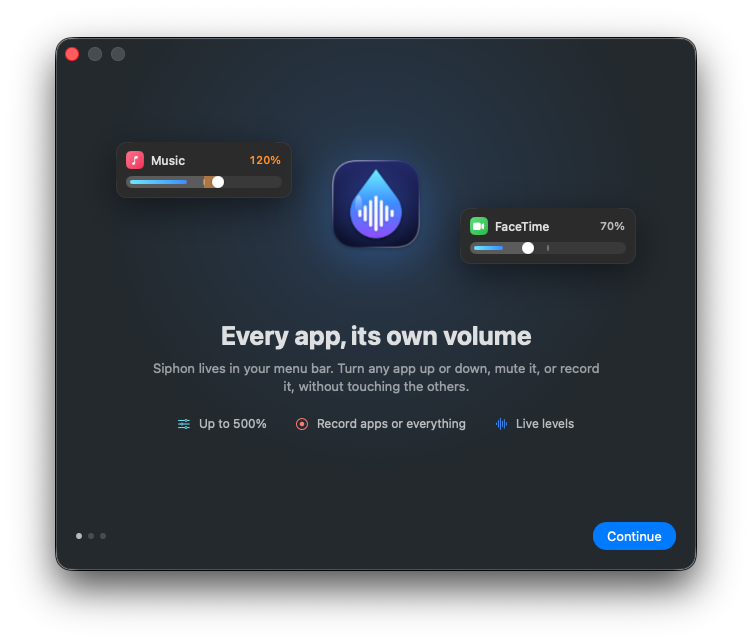
Every app, its own volume.
Siphon puts a volume slider for every app in your menu bar. Turn a noisy tab down, boost a quiet call up to 500%, mute a game while your music plays, and record one app or everything you hear.

Free, with an optional one-time Siphon Pro. For macOS 14.4 or later, on Apple silicon and Intel.
One volume for everything isn't enough.
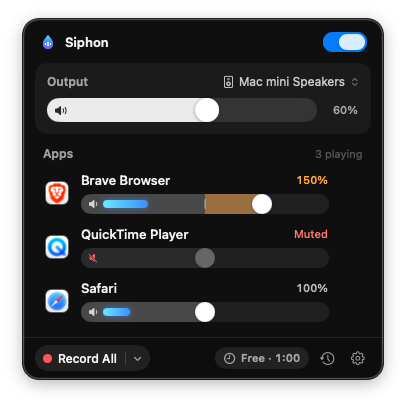
macOS has a single volume. Siphon gives every app its own, right where the Mac's volume already lives: in the menu bar.
A slider for every app
Every app that plays sound gets a slider with a live level meter, so you can see at a glance what's playing.
Boost quiet apps
100% sits in the middle of each slider. The right half boosts an app up to 200%, or up to 300, 400 or 500% if you like.
Mute in one click
Click the speaker inside a slider to mute an app. Double-click the slider to bring it back to 100%.
Output at hand
The Mac's own volume and its output device are at the top of the same menu.
Remembers each app
Siphon keeps the volume you set for each app and applies it the next time the app plays.
One switch
Turn Siphon off with the switch at the top, and every app plays exactly as it would without it.
Record All
One click records everything you hear into a single file, with your per-app volumes.
Record one app
Record just one app's sound, as the app plays it, so even a muted app records at full level.
Your format, your folder
AAC or Opus at the bit rate you choose, Apple Lossless or WAV, saved to Music ▸ Siphon or any folder you choose. Drag a finished recording from the menu into Finder or any app.
Record what you hear
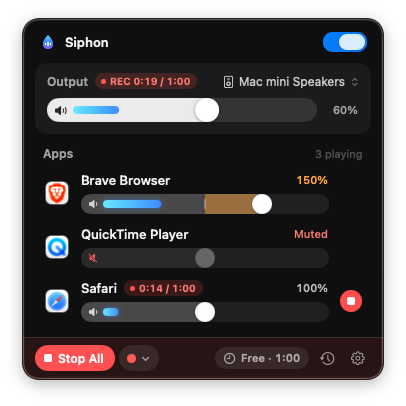
Click Record All, or the red button on an app's row. A timer shows how long each recording has run, and Stop All ends them together.
The last recording waits in the menu, ready to play, show in Finder or drag anywhere. The clock button lists the ones before it.
Free, with Pro when you need it
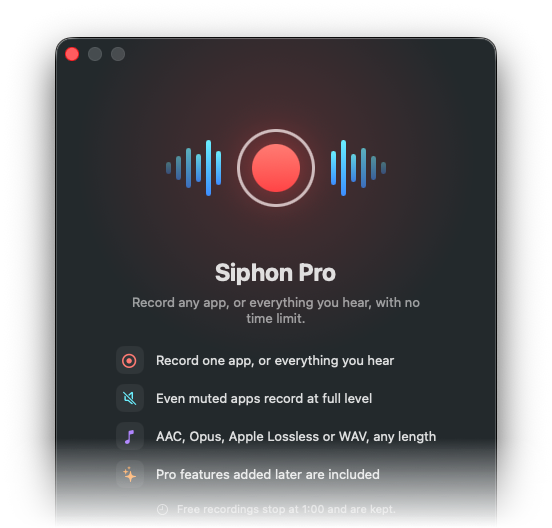
Volume, mute, boost, levels, output and recordings of up to a minute are free. Longer recordings stop at 1:00 and are kept.
Siphon Pro is a one-time purchase that removes the limit and includes every Pro feature added later. No subscription.
Ready in a minute
A short guide explains Siphon and sets up the one permission it needs, System Audio Recording, so that it can hear your other apps.
No drivers, no extensions, nothing else to install: Siphon uses the audio capture built into macOS.
Private by design.
No accounts, no tracking, no ads. Siphon works entirely on your Mac, inside the macOS sandbox. The sound it hears never leaves your Mac, and it doesn't collect any data. Privacy policy
Questions
Why does Siphon need System Audio Recording?
macOS lets an app hear other apps' sound only with this permission. Siphon uses it on your Mac to show levels, change volumes and record when you ask. You can turn it off anytime in System Settings ▸ Privacy & Security ▸ Screen & System Audio Recording.
Does Siphon change how my apps sound?
Apps at 100% play exactly as before: Siphon only listens to them for their level meters. When you change an app's volume or mute it, Siphon plays that app's sound for it, at the level you set.
Why isn't an app in the list?
Apps appear while they play sound. To see the others too, choose Show All Apps from the gear button.
What does Siphon Pro include?
Recordings of any length (without it, each recording stops at one minute and is kept), and every Pro feature added later. It's a one-time purchase. On another Mac, click Restore Purchase in the Siphon Pro window.
Which Macs are supported?
macOS 14.4 Sonoma or later, on Apple silicon and Intel.